Design Library
Upload and organize your embroidery files with folders, color-coded categories, and tags. Search by name, dimension, stitch count, or any combination of filters.
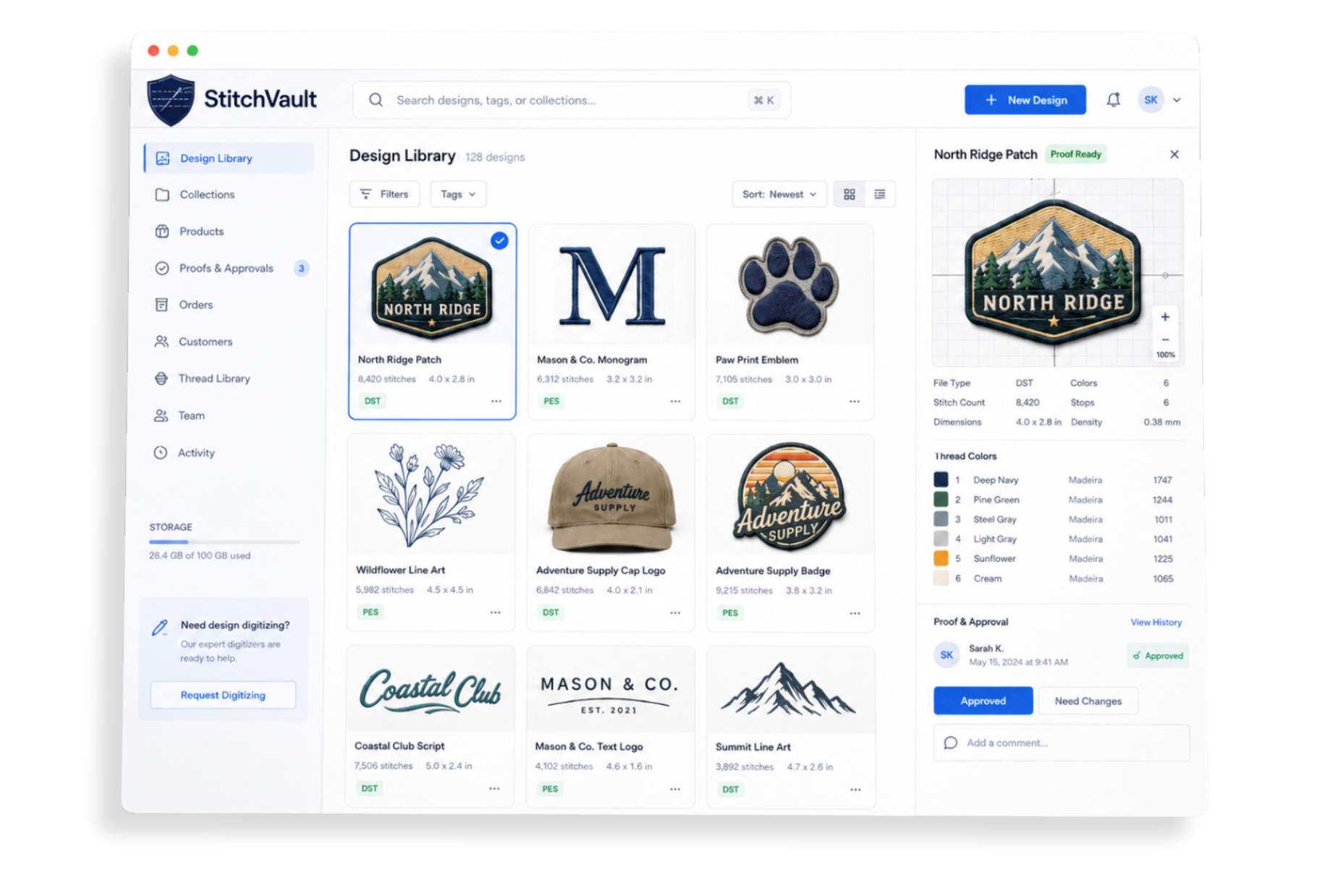
Keep designs, thread colors, client approvals, and your team connected in one embroidery-first workspace.
From file management to client approval, StitchVault handles the workflow so you can focus on stitching.
Upload and organize your embroidery files with folders, color-coded categories, and tags. Search by name, dimension, stitch count, or any combination of filters.
Import your thread catalog via CSV. Auto-assign thread colors by stop number. See color swatches on every design, share link, and proof page.
View DST stitch paths interactively right in the browser. No desktop software needed. Works on share links and proof pages too.
Send proof links to clients for review. They can comment, suggest thread changes, upload references, and approve or reject — no login required.
Invite your team with role-based access: Viewer, Editor, or Admin. Share one design library across your whole shop.
Type “4x3” to find designs by dimension. Filter by stitch count, color count, file size, and upload date. Find any design in seconds.
Generate a public link for any design. Clients and partners can view details, thread colors, and download files — no account needed.
Connect your Dropbox account for secure file storage. Your designs live in your own cloud — StitchVault just organizes them.
Automatically extracts stitch count, color stops, dimensions, and estimated sew time from DST, PES, and VP3 files on upload.
No complicated setup. No lengthy onboarding. Just sign up and start organizing.
Sign up free, name your workspace, and connect your Dropbox in one step.
Drag and drop DST, PES, VP3, and art files. Metadata is extracted automatically.
Sort into folders, assign categories and tags. Find anything with smart search.
Send proof links to clients or share designs publicly. Track approvals in real time.
StitchVault's built-in proof system replaces messy email threads with a clean, trackable workflow. Clients get a branded proof page. You get a complete audit trail.
Native parsing for major embroidery formats. Automatic stitch data extraction. No conversion needed.
Start free. Upgrade when you're ready. No hidden fees, no contracts.
Try it out, no card required
For solo embroiderers
For small shops & teams
For large operations
Everything you need to know about StitchVault.
StitchVault natively reads and previews DST (Tajima), PES (Brother), and VP3 (Husqvarna) embroidery files. It automatically extracts stitch count, color stops, and dimensions from these formats. You can also upload PNG, SVG, PDF, JPG, and EMB files for art references and print-ready designs.
Create a proof from any design in your library. Your client receives an email with a secure link — no login or account required. They can view the design with thread colors, leave comments, suggest specific thread color changes by stop number, upload reference files, and approve or reject the proof. You get real-time notifications for every action and a complete audit log.
Yes. StitchVault supports team workspaces with three role levels: Viewer (can browse and upload), Editor (can also delete and modify), and Admin (full control including inviting new members). Everyone shares the same design library, folders, tags, and proof dashboard. Team plans start at Pro (5 users) and Premium (unlimited).
StitchVault integrates with Dropbox for file storage. You connect your own Dropbox account, choose a root folder, and all design files are stored there. This means your files live in your own cloud storage — StitchVault organizes and manages them but never locks you in.
Yes. The free plan includes 1 user, up to 10 designs, and 1 active proof. It has access to all core features including the DST viewer, share links, and smart search. No credit card required. Upgrade to a paid plan whenever you need more capacity.
Absolutely. Generate a shareable link for any design with one click. Recipients can view the design thumbnail, stitch details, thread color assignments, and download individual files or all files as a zip — all without creating an account. You can set expiry dates on share links for extra control.
When you type something like “4x3” or “4 by 3” into the search bar, StitchVault automatically detects it as a dimension query and finds designs that match those measurements (in inches) with a small tolerance. It checks both orientations, so a 3×4 design will also match. This is especially useful when a customer requests a specific size.
No. StitchVault is 100% browser-based. There's nothing to download or install. It works on any modern browser on desktop, laptop, or tablet. The in-browser DST stitch viewer even lets you inspect stitch paths without needing embroidery software on your machine.
Yes. All plans are month-to-month with no contracts. You can upgrade, downgrade, or cancel at any time from your account settings. If you cancel, you'll retain access through the end of your billing period.
Join embroidery businesses already using StitchVault to manage designs, streamline proofs, and save hours every week.